
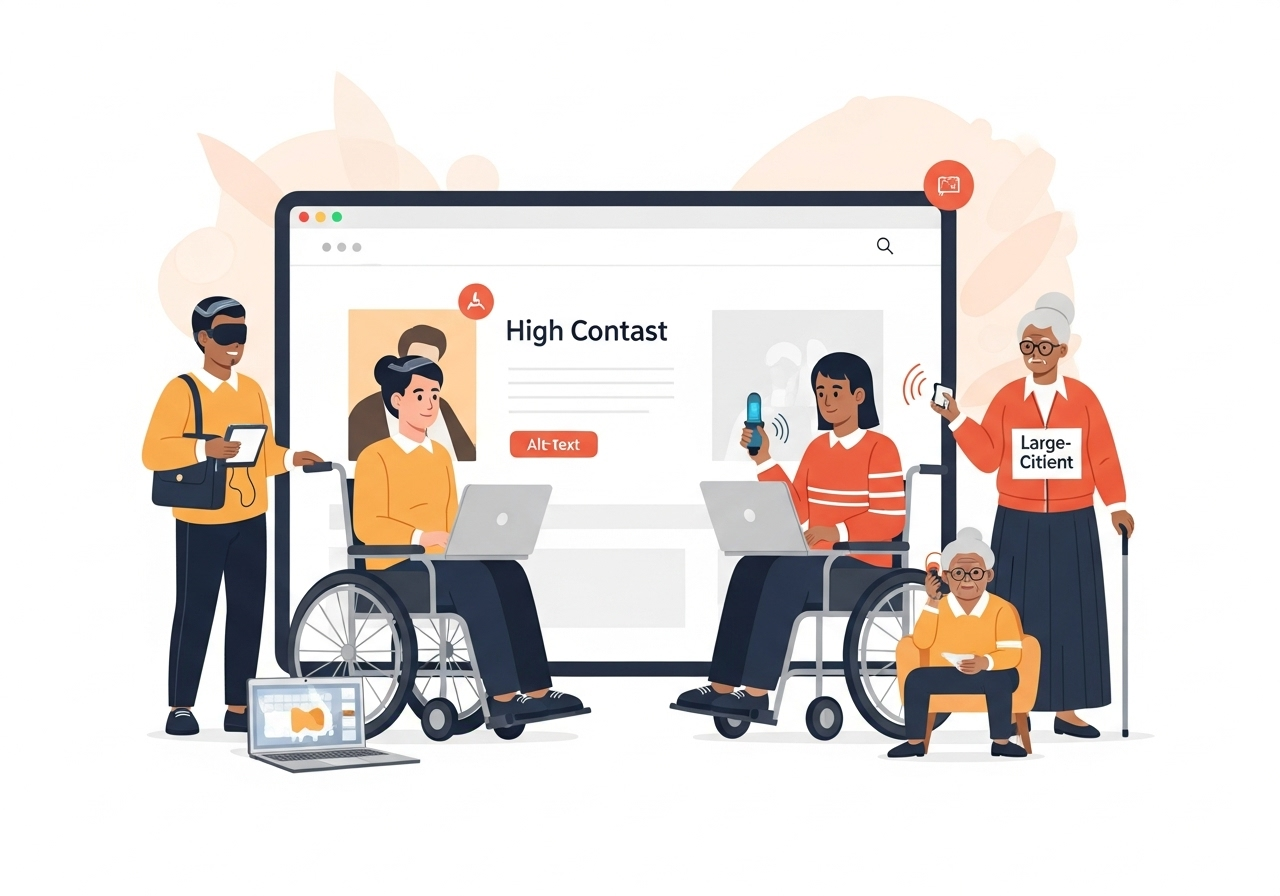
A Deep Dive into Inclusive Web Design Principles for 2025
In 2025, digital accessibility is no longer optional—it’s essential. Every business, public service, and online platform must ask: Can people of all abilities use our website seamlessly?
If the answer is anything less than a confident “yes,” it’s time to reevaluate your digital strategy.
An inclusive website ensures that users with visual, auditory, motor, or cognitive impairments can navigate, interact with, and benefit from your online services just like anyone else. Whether you’re running a hospital, an e-commerce platform, a law firm, or a school, accessible design isn’t just the right thing to do—it’s smart business.
Why Accessibility Matters To Everyone
- Expands your audience reach
- Enhances SEO (Google ranks accessible sites higher)
- Ensures compliance with laws like WCAG, ADA, and India’s RPwD Act
- Improves usability for all users, including seniors and mobile users
Small updates—like increasing font sizes, improving contrast, or adding keyboard support—can significantly improve user engagement and satisfaction.
Core Principles of Inclusive Web Design
Based on the Web Content Accessibility Guidelines (WCAG) 2.2, four foundational principles define accessibility:
- Perceivable – All users must be able to perceive content (e.g., screen reader-compatible text, alt text for images).
- Operable – Users must be able to navigate using keyboard-only controls or assistive tools.
- Understandable – Content, navigation, and instructions must be simple and clear.
- Robust – The site should be compatible with a range of current and future assistive technologies.
Features That Make a Website Truly Accessible
Here’s a feature checklist for creating a disabled-friendly website in 2025:
Keyboard Navigation
Users should navigate the site entirely via keyboard—without needing a mouse.
Screen Reader Compatibility
Use semantic HTML (e.g., <nav>, <header>, <button>) and ARIA landmarks for clarity.
Descriptive Alt Text
All images should have meaningful alt text for screen readers.
High Contrast and Color Adjustments
Maintain high contrast between text and background. Provide dark/light mode switchers where possible.
Captions and Transcripts
Ensure that video and audio content includes accurate captions and downloadable transcripts.
Scalable Fonts and Spacing
Allow users to enlarge text or increase spacing without breaking your layout.
Accessible Forms
Label form fields properly, offer helpful error messages, and support screen readers.
Skip-to-Content Links
Provide a shortcut for users to bypass navigation menus and jump to the main content.
WordPress vs Headless CMS for Accessibility
Here’s how two popular CMS approaches stack up when it comes to accessibility:
| Feature | WordPress | Headless CMS (e.g., Strapi + Next.js) |
| Accessibility Plugins | Yes (e.g., WP Accessibility) | Manual configuration required |
| Themes and Templates | Varies (some accessible, some not) | Fully custom, accessibility-first designs |
| Screen Reader Optimization | Good with setup | Excellent with best practices |
| UI/UX Control | Moderate | High (design system based) |
| Best For | SMBs and clinics | Enterprises and custom web applications |
Note: Muniwar Technologies helps clients choose the right CMS for their accessibility and scalability needs.
Real-World Case Study: Inclusive Design in Action
A dental clinic in Pune partnered with Muniwar Technologies to redesign its outdated, non-accessible website. The old site had:
- Poor color contrast
- No alt text on images
- Hard-to-navigate menus for screen reader users
Results after redesigning with accessibility-first principles:
- Bounce rate dropped by 42%
- Appointment bookings rose by 30%
- Screen reader compatibility reached 100%
- Direct feedback praised the inclusive experience from visually impaired patient
Legal Compliance to Consider
Depending on your industry and geographic location, web accessibility may be a legal requirement:
- India: Rights of Persons with Disabilities (RPwD) Act, 2016
- Global: WCAG 2.2 compliance strongly recommended
- USA: Americans with Disabilities Act (ADA)
Non-compliance can lead to legal action, public backlash, and loss of contracts or funding.
Pro Tips to Get Started with Accessibility
Start building inclusively today with these practical tips:
- Run a Website Audit using tools like WAVE, axe DevTools, or Google Lighthouse
- Choose an Accessibility-First Web Partner with proven healthcare and inclusive design experience
- Don’t Rely on Widgets Alone – They’re helpful, but can’t fix foundational issues
- Educate Your Content Team – Teach authors to write descriptive alt text, use proper headings, and avoid jargon
- Commit to Ongoing Updates – Accessibility is a journey, not a checkbox
How Muniwar Technologies Supports Inclusive Design
At Muniwar Technologies, accessibility is embedded in our process—from wireframes to launch. Our team offers:
- Full WCAG 2.2 compliance audits and implementation
- Accessible designs for mobile, tablet, and desktop
- CMS solutions (WordPress, Webflow, Headless CMS) with accessibility baked in
- Seamless integrations with assistive technologies
- SEO and structure enhancements for better discoverability and screen reader compatibility
We believe accessibility is not just good design—it’s responsible digital leadership.
Conclusion
Let’s create a digital world that works for everyone.
Contact Muniwar Technologies Today
Explore your inclusive web design strategy:
- Email: info@muniwar.com
- Phone: +91 888-22-66-111 | +91-11-43050611
Let’s build accessibility into your brand by design.





